
Television
TV activation
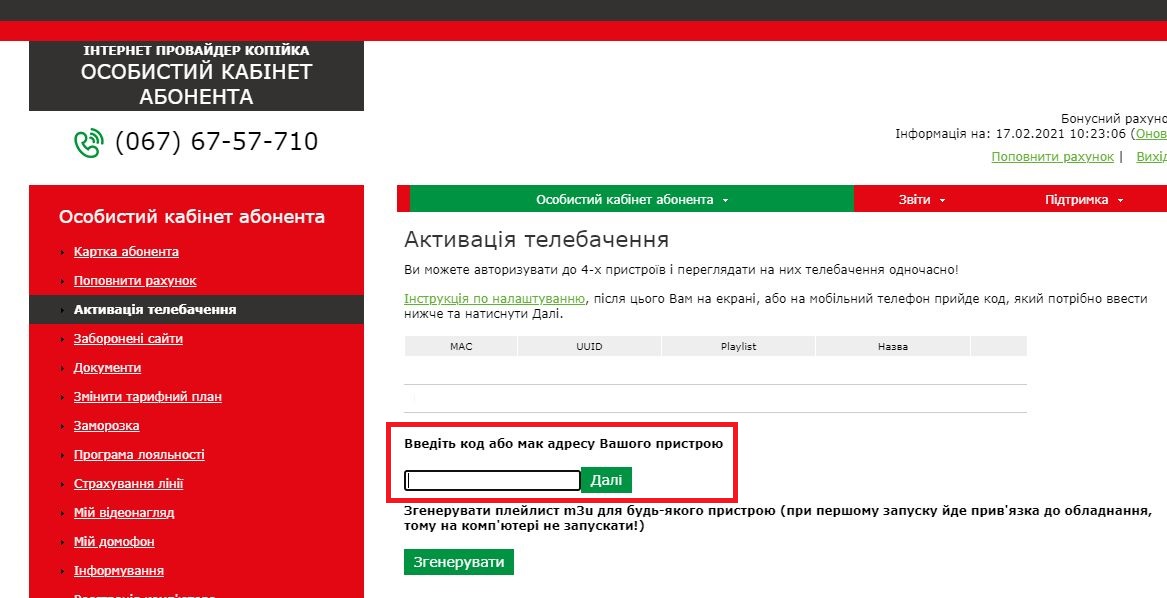
- To activate television, install one of the two apps: sweet.tv or trinity-tv.net.
- Register in the app, providing your phone number.
- During registration a confirmation code arrives to that phone number. Enter this code not in the app, but in the personal account under "TV activation".
- TV registration is complete.
Registration in the trinity-tv.net app must be done exclusively via our internet – it will not register through a third-party connection.


